- Internet Domain Name
- Registering a Domain Name
- Domain Transfers
How to transfer a domain name: a step-by-step guide
A domain name transfer moves your domain from one registrar to another without changing ownership, DNS settings, or search engine rankings.

TLD-list
Editor team
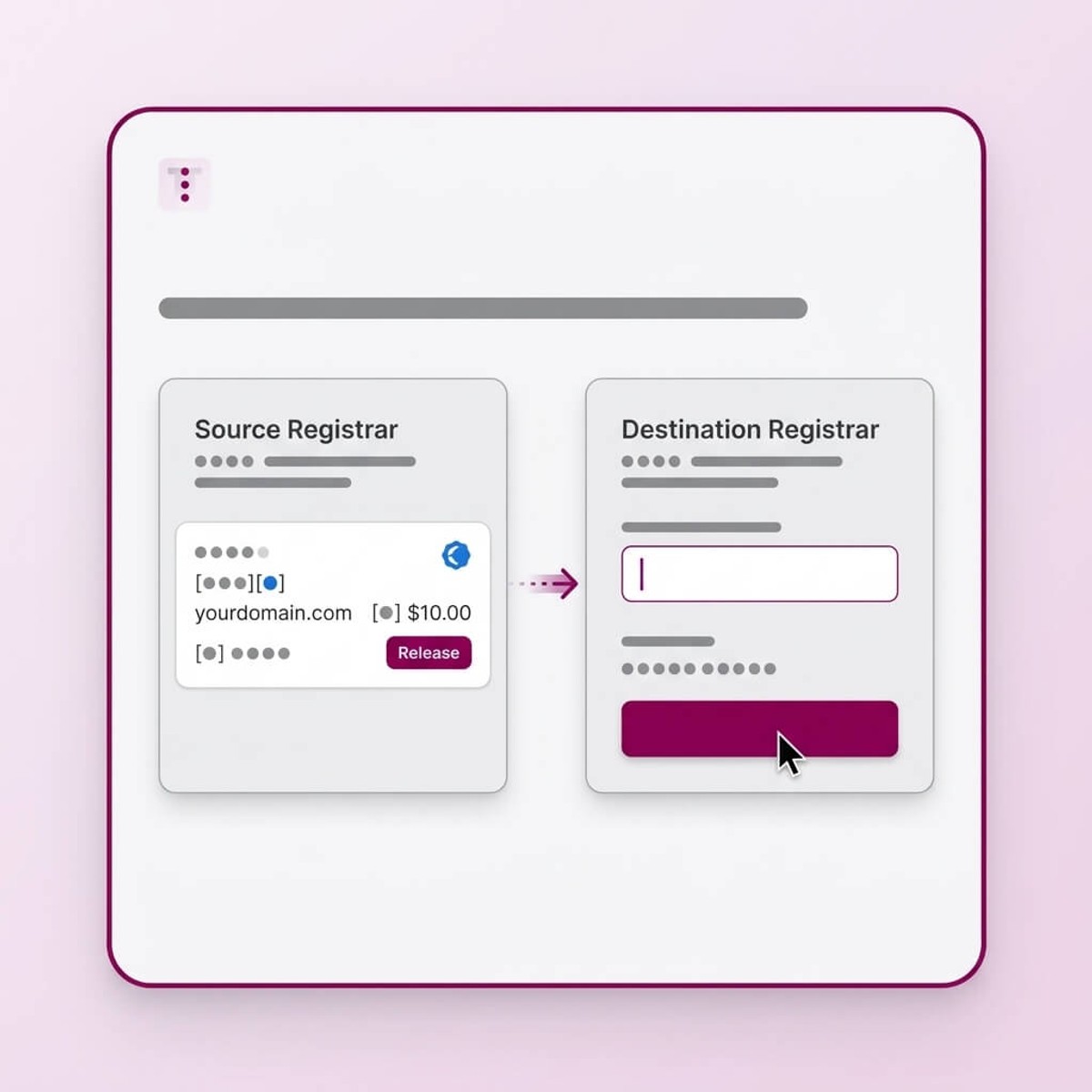
Transfers take five to seven days under ICANN policy, and the domain stays live throughout the process. This guide walks through the transfer requirements, the domain transfer process step by step, how long it takes, and how to compare costs before you move.
What is a domain transfer and what happens to your website?
A domain transfer changes the registrar of record for a domain name. The domain registrar is the ICANN-accredited company that manages the domain registration process and holds it in the central registry. Transferring a domain moves that domain management responsibility from your current registrar to a different registrar.
Several things do not change during a registrar transfer: the domain owner remains the same, DNS settings stay intact, your website continues to load normally, email services are unaffected, and search engine rankings are not impacted. The domain simply appears in a different company's system once you complete the transfer.
A domain transfer (registrar change) is a separate process from a domain ownership transfer, which moves the domain to a different person or organization. Domain ownership and the registrar of record are two separate things: you can move a domain to another registrar without touching who owns it, and you can transfer domain ownership without ever changing registrars. The table below shows the key differences:
| Type | What changes | What stays the same |
|---|---|---|
| Domain transfer (registrar change) | Registrar of record | Owner, DNS, website, email, rankings |
| Ownership transfer | Domain owner | Registrar (unless also changed) |
Main reasons to transfer a domain to a new registrar
There are three common reasons people transfer domains between registrars:
- Registrar consolidation: Managing all domains under one account simplifies domain management, with one payment method and one renewal calendar to maintain. Spreading domains across multiple registrars adds administrative overhead with no benefit.
- Renewal pricing: Registration prices are often promotional. Renewal prices can be two to four times higher than the first-year rate. Transferring to a registrar with lower renewal rates can reduce the long-term cost of owning a domain significantly.
- Better support or interface: Some registrars offer better DNS management tools, faster customer support, or a simpler account dashboard. If your current registrar's interface slows you down or support is hard to reach, a transfer may be worthwhile.
 Transferring a domain to a new registrar ≠ switching to a new host.
That kind of move affects where your website's files live, while a domaintransfer only changes who manages the domain record itself, so you can transfer the domain name to a differentregistrar without touching your hosting at all.
Before you start: eligibility requirements
Not every domain can be transferred at any time. Before initiating a transfer, check the following transfer requirements:
Transfer eligibility checklist
- 60-day lock: Domains registered or previously transferred within the last 60 days are locked by ICANN policy and cannot be transferred during that window.
- Domain must not be near expiry: Most registrars will not accept a transfer for a domain expiring within seven days. Renew first if you are close to expiry.
- Domain must be unlocked: The current registrar may have enabled a Transfer Lock (also called Registrar Lock). Disable it in your account dashboard before initiating the transfer.
- Valid WHOIS contact information: Transfer authorization emails go to the registrant email on file. Confirm it is accessible before starting, and update it if you've enabled domain privacy, since privacy-protected contact information can sometimes delay the authorization email reaching you.
Once a domain clears these four checks, it's eligible for transfer, and the process runs the same way for every eligible domain, regardless of which TLD it uses.
The 60-day lock exists to prevent unauthorized transfers and give domain owners time to dispute fraudulent registrations. If your domain was just registered or recently transferred, you will need to wait out this window before proceeding. There is no way to expedite the process - ICANN policy is binding on all accredited registrars.
This record is particularly important: if the registrant email is outdated or no longer accessible, you will not receive the authorization email needed to approve the transfer. Update the contact information at your current registrar before starting. Note that some registrars require a 60-day wait after WHOIS changes before allowing a transfer, so plan accordingly.
How to transfer a domain: the step-by-step process
The domain transfer process involves five steps. Most registrars have automated the process on both ends, but understanding each stage helps you avoid delays.

Unlock the domain
Log in to your current registrar and disable the Transfer Lock (sometimes called Registrar Lock or Domain Lock). The option is usually under Domain Settings or Security Settings. Once disabled, the domain is eligible for transfer and ready to receive a transfer request.

Get the EPP/authorization code
Request the auth code (also called EPP code or transfer code) from your current registrar. ICANN requires them to provide it within five calendar days of your request. The code is a string of letters and numbers that authorizes the receiving domain registrar to accept the transfer. Keep this code secure.

Initiate the transfer at the new registrar
Go to the new registrar's transfer page, enter your domain name, and provide the EPP code when prompted. You will need to confirm registrantcontact information. Most registrars will show you the transfer price and the resulting expiration date before you complete the order.

Confirm the transfer request
Both your current and new registrar will send confirmation emails to the registrantemail address on file. Act on these promptly — confirming both emails is what lets you complete the transfer on schedule. Delays in responding can pause or cancel the process. Some registrars send multiple emails; read each one carefully before clicking any link.

Wait for completion
Transfers take up to seven days under ICANN policy. Your website, email, and DNS records continue working throughout the transfer period. Once complete, your new registrar becomes the registrar of record and you will manage the domain entirely through their platform.
How long does a domain transfer take?
Standard domain transfers take up to seven days under ICANN policy. Whether you're moving a domain to another registrar for pricing or for support, the exact duration depends on how quickly both registrars and the domain owner act on each step.
Transfers can complete in 24 to 48 hours if the current registrar releases the domain immediately after the owner confirms the transfer request. Some registrars have an auto-release feature that speeds this up. Others take the full five-day notice period before releasing the domain, which extends the total transfer time.
Transfers can take longer than seven days if the registrant does not respond to confirmation emails, or if there is a dispute or hold on the domain. Leaving confirmation emails unread is one of the most common reasons transfers stall.
Every TLD can carry its own rules. Country code top-level domains (ccTLDs), for example, often have different transfer timelines governed by national registries rather than ICANN. Some ccTLDs use a different authorization process entirely and may take longer or shorter than the standard seven days. See the country domain list (tld-list.com/blog/country-domain-list) for details on specific ccTLD transfer rules.
Domain transfer costs: what to compare before you move
Most registrars charge a transfer fee that typically includes one year of registration extension. This means transferring a domain does not just move it - it also adds 12 months to the expiration date, which is often a requirement under ICANN policy.
The renewal price trap: the transfer-in price is often discounted to attract new customers, but the renewal price the following year can be significantly higher. Pricing also varies by TLD, so always compare both the transfer price and the renewal price before committing - not just the first-year rate. A registrar offering a low transfer price may charge well above market rate at renewal. Some registrars also bundle domain privacy into the transfer price, so check whether it carries over to the new registrar after the move.
Use TLD-list to compare transfer and renewal costs across 100+ registrars before making a decision.
Before you transfer, compare transfer and renewal prices on TLD-list. The cheapest transfer-in rate is not always the cheapest registrar over time.
Popular generic TLDs - transfer and renewal price comparison
| Extension | Transfer & renewal prices | |
|---|---|---|
| .com |
Cheapest transfer: $3.94 at Spaceship Cheapest renewal: $10.15 at Sav |
|
| .net |
Cheapest transfer: $5.94 at Spaceship Cheapest renewal: $11.11 at Above.com |
|
| .org |
Cheapest transfer: $3.44 at Spaceship Cheapest renewal: $10.39 at Truehost.com |
|
| .info |
Cheapest transfer: $8.46 at Spaceship Cheapest renewal: $13.17 at Dotology |
|
| .app |
Cheapest transfer: $6.44 at Spaceship Cheapest renewal: $13.99 at Sav |
|
| .ai |
Cheapest transfer: $79.98 at Spaceship Cheapest renewal: $79.98 at Spaceship |
|
| .io |
Cheapest transfer: $17.45 at Wix Cheapest renewal: $40.47 at Porkbun |
|
| .co |
Cheapest transfer: $7.45 at Wix Cheapest renewal: $25.03 at Porkbun |
|
| .shop |
Cheapest transfer: $3.45 at Wix Cheapest renewal: $25.21 at Porkbun |
|
| .xyz |
Cheapest transfer: $7.96 at Spaceship Cheapest renewal: $11.20 at Cloudflare |
|
| .biz |
Cheapest transfer: $3.94 at Spaceship Cheapest renewal: $15.63 at Sav |
|
| .top |
Cheapest transfer: $4.05 at Spaceship Cheapest renewal: $4.05 at Spaceship |
|
| .dev |
Cheapest transfer: $6.44 at Spaceship Cheapest renewal: $11.99 at NameSilo |
|
| .tech |
Cheapest transfer: $20.00 at Wix Cheapest renewal: $40.00 at Wix |
|
| .online |
Cheapest transfer: $3.45 at Wix Cheapest renewal: $20.18 at Spaceship |
|
| .store |
Cheapest transfer: $18.00 at Wix Cheapest renewal: $28.64 at BigRock |
|
| .site |
Cheapest transfer: $15.47 at Wix Cheapest renewal: $20.18 at Spaceship |
|
| .cloud |
Cheapest transfer: $10.00 at Wix Cheapest renewal: $15.94 at Porkbun |
|
| .pro |
Cheapest transfer: $7.45 at Wix Cheapest renewal: $16.99 at Hello.co |
|
| .news |
Cheapest transfer: $7.95 at Wix Cheapest renewal: $13.00 at Amazon Route 53 |
|
| .website |
Cheapest transfer: $15.80 at Spaceship Cheapest renewal: $20.00 at Amazon Route 53 |
Popular ccTLDs - transfer and renewal price comparison
| Extension | Transfer & renewal prices | |
|---|---|---|
| .de |
Cheapest transfer: $3.18 at Above.com Cheapest renewal: $3.18 at Above.com |
|
| .me |
Cheapest transfer: $8.96 at Spaceship Cheapest renewal: $15.53 at Spaceship |
|
| .us |
Cheapest transfer: $6.48 at Spaceship Cheapest renewal: $6.48 at Spaceship |
|
| .uk |
Cheapest transfer: $0.99 at Hostinger Cheapest renewal: $5.30 at Cloudflare |
|
| .ca |
Cheapest transfer: $5.51 at Wix Cheapest renewal: $9.19 at Cloudflare |
|
| .au |
Cheapest transfer: $0.99 at Hostinger Cheapest renewal: $6.44 at Above.com |
|
| .fr |
Cheapest transfer: $6.99 at Regery Cheapest renewal: $7.00 at Dynadot |
|
| .tv |
Cheapest transfer: $16.47 at Wix Cheapest renewal: $24.98 at Spaceship |
|
| .cc |
Cheapest transfer: $2.94 at Spaceship Cheapest renewal: $8.00 at Above.com |
|
| .ru |
Cheapest transfer: $2.85 at Openprovider Cheapest renewal: $6.11 at Openprovider |
|
| .se |
Cheapest transfer: $0.99 at Hostinger Cheapest renewal: $17.00 at Hostcab |
|
| .be |
Cheapest transfer: $4.00 at Wix Cheapest renewal: $5.99 at Internet.bs |
|
| .at |
Cheapest transfer: $0.33 at Dynadot Cheapest renewal: $11.24 at Dynadot |
|
| .es |
Cheapest transfer: $0.99 at Hostinger Cheapest renewal: $6.69 at Regery |
|
| .cl |
Cheapest transfer: $6.45 at Wix Cheapest renewal: $11.53 at Sav |
|
| .pl |
Cheapest transfer: $0.99 at Hostinger Cheapest renewal: $13.84 at Above.com |
|
| .ie |
Cheapest transfer: $17.12 at Easyspace Cheapest renewal: $19.00 at Hostcab |
|
| .si |
Cheapest transfer: $0.10 at Hostinger Cheapest renewal: $10.99 at Hostinger |
|
| .nl |
Cheapest transfer: $0.99 at Hostinger Cheapest renewal: $5.13 at Above.com |
|
| .dk |
Cheapest transfer: $0.99 at Hostinger Cheapest renewal: $10.59 at Openprovider |
|
| .pt |
Cheapest transfer: $0.99 at Hostinger Cheapest renewal: $11.56 at Dynadot |
|
| .tr |
Cheapest transfer: N/A at undefined Cheapest renewal: N/A at undefined |
|
| .ro |
Cheapest transfer: $0.33 at Dynadot Cheapest renewal: $9.98 at INWX |
|
| .sk |
Cheapest transfer: $12.50 at Netim Cheapest renewal: $14.63 at Regtons |
|
| .ar |
Cheapest transfer: $38.00 at Netim Cheapest renewal: $39.99 at Regery |
|
| .lt |
Cheapest transfer: $0.01 at Hostinger Cheapest renewal: $10.40 at Dynadot |
|
| .za |
Cheapest transfer: N/A at undefined Cheapest renewal: N/A at undefined |
|
| .rs |
Cheapest transfer: $1.99 at Regery Cheapest renewal: $27.90 at ISTanCo |
|
| .br |
Cheapest transfer: N/A at undefined Cheapest renewal: N/A at undefined |
|
| .mx |
Cheapest transfer: $22.97 at Wix Cheapest renewal: $24.44 at Sav |
|
| .in |
Cheapest transfer: $5.45 at Above.com Cheapest renewal: $5.45 at Above.com |
Frequently asked questions
A domain name transfermoves a domain name from one registrar to another. The domain registrar is an ICANN-accredited company responsible for managing domain registrations on behalf of the owner. A registrartransfer does not change the domain owner or any DNS settings - it only changes which company holds the registration on record.
Transfers take up to seven days under ICANN policy. The process can complete in 24 to 48 hours if the current registrar releases the domain immediately after the owner confirms the transfer request. Delays occur when the registrant takes the full five-day notice period before releasing, or when confirmation emails go unanswered.
An EPP code (also called an auth code or transfer code) is a unique alphanumeric string that authorizes a domaintransfer. It acts as a password that proves you have the right to move the domain. Your current registrar must provide this code within five calendar days of your request, per ICANN rules, so the different registrar you're moving to can accept the transfer. Keep the code secure and do not share it with anyone other than the receiving registrar.
No. A domain transfer changes only the registrar of record, it's not the same as switching to a new host. DNS settings remain unchanged, which means your website continues to load normally, email services are unaffected, and search engine rankings are not impacted. The domain stays live throughout the transfer process.
Most registrars will not accept a transfer for a domain expiring within seven days. This same expiry rule applies to every eligible domain, so check your expiration date before starting. If your domain is close to its expiry date, renew it first at your current registrar, then initiate the transfer. Attempting to transfer close to expiry risks the domain lapsing before the process completes.
About the Author:

TLD-list
Editor team
Small crew of builders who believe a great idea should not be held back by a bad domain deal. We know this space inside out, from obscure new extensions to the registrar tricks that quietly inflate your renewal. We put that knowledge to work so you can spend less time worrying about domains and more time building the thing that matters.
Related Posts
How much does a domain name cost?
A standard domain name costs $10–$20/year, but the real number depends on your extension, registrar, and renewal price. This guide breaks down every factor, including premium domains, free options, and how to compare total costs accurately.
Read Full ArticleThe different types of domain names
A complete guide to the different types of domain: how domain names are structured (TLD, SLD, subdomain), every extension from .com and country-code TLDs to new gTLDs, and how to choose the right domain for your brand, budget and search visibility.
Read Full ArticleParts of a Domain Name
Learn the different parts of a domain name, including subdomains, second-level domains (SLDs), and top-level domains (TLDs). Understand how each component works, how they fit into a URL, and how to choose the right domain structure for branding, DNS, and SEO.
Read Full ArticleWhat is a fully qualified domain name?
Learn how FQDNs work, their structure, common uses, and how to find yours.
Read Full Article