- Domain Names
- Domain Types
- Email domains
- Custom Email Domain
What is a custom email domain? How to set up a customdomain email address
A domain name you own and control can be the foundation of your email address; think [email protected] instead of a shared address from a free provider.

TLD-list
Editor team
Getting one running takes two purchases: you get a domain and sign up for an email hosting plan. This guide covers what each costs, how they connect, and how to manage email through Gmail if that's the inbox you already use.
What is a custom email ddoes omain?
A custom email domain is an email address built on a domain name you own and control. Rather than borrowing a shared address ([email protected], [email protected]), your business email address uses a domain registered to you: [email protected], or any name that fits your brand or business; email domains work the same way no matter which registrar you use.
From a technical standpoint, the difference comes down to DNS. A generic email address routes through mail servers the provider owns and operates (Google, Microsoft, Yahoo). A custom domain, by contrast, is one you've registered yourself and pointed, via MX records, to whichever email hosting service you choose. You own the domain name; the email host just manages the mailbox.
That separation is what makes this worth the setup: you aren't tied to any single provider's domain. Switch hosting providers and, you take your domain name and every address you've built on it with you.
How does a custom email domain actually work?
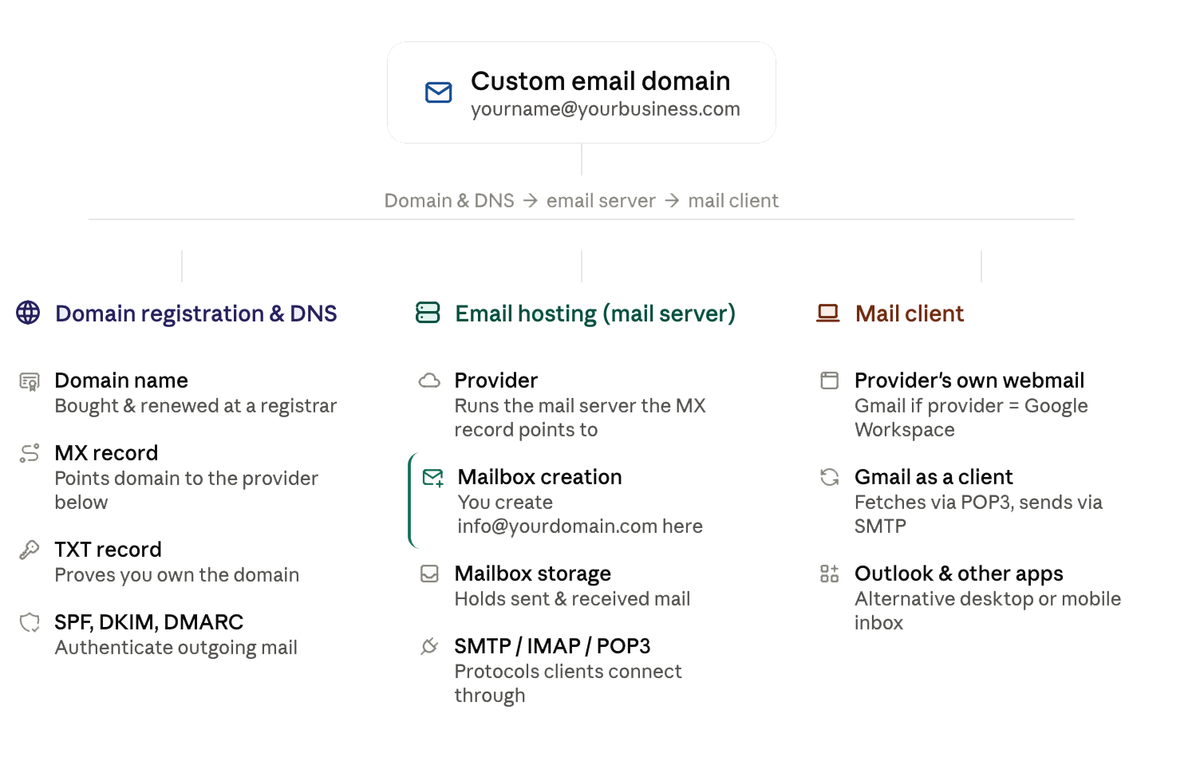
Three separate pieces have to connect before [email protected] can send or receive a single message: the domain and its DNS records, the mail server that actually stores and delivers your mail, and the client you check it from. Here's how they fit together:
Why use a custom domain email address for your business email
There are three practical reasons to choose an address of your own over a generic one.
- Professionalism and business identity: every message you send displays your own domain.
[email protected]reinforces your business name with every send;[email protected]does not. It gives your company a professional business email presence and signals trust and credibility to clients faster than a free inbox ever will, especially in day-to-day business communications, which is part of the reason small business owners upgrade from a generic address early on. - Improved deliverability: support for SPF, DKIM, and DMARC authentication helps mail servers recognize your messages as legitimate and keeps more of them out of spam. Free email services rely on the provider's shared sender reputation, which you don't control, so authenticated mail tends to land in the primary folder more reliably than messages from generic services like Gmail or Yahoo.
- Ownership and portability: with your own domain, you own it outright. Change hosting providers and you keep your domain name and every business email account built on it. With a free provider, the company controls it, and you can't take it elsewhere.
| Criteria | Generic email (@gmail, @yahoo) | Custom email domain |
|---|---|---|
| Appearance | [email protected] | [email protected] |
| Brand consistency | None | Reinforces your brand with every send |
| Deliverability | Lower; shared sender reputation | Higher; authenticated with SPF/DKIM/DMARC |
| Ownership | Provider controls the address | You own the domain |
| Portability | Address tied to provider | Keep your address across hosting changes |
What you need to get a custom domain for your business
Setting up a custom email domain requires two separate purchases, often from different providers, so it helps to budget for both before you commit.
- A registered domain name: a custom domain name like
yourcompany.comoryourproject.io; becomes your email address. Registration and renewal typically run $8-10 a year for a common extension, though some gTLDs and ccTLDs price closer to $100 a year; see our full breakdown of domain pricing for what drives the difference. Your website domain usually doubles as this address, so once you get a custom domain for your email, you can point it anywhere. Register it through a registrar (see this guide) and pay a small fee for the renewal each year; a new domain is just the address, and it still needs a separate service to handle mail. - An email hosting service; this is the service that stores your mailboxes and routes your messages, and it's always a paid purchase once a custom domain is involved. Free tiers from Gmail, Zoho Mail, Outlook, and similar providers only ever cover a generic address at their own domain (@gmail.com, @zohomail.com, @outlook.com); the moment you attach
[email protected], you're on a paid plan. Hosting is also different from web hosting, which stores your website's files rather than your mail. Microsoft 365, Zoho Mail, and Namecheap Private Email are common email providers, and this is a separate purchase from the registration step.
The two costs are independent, and together they're the real floor for a custom email domain; there's no route that skips either one. Your registrar handles the address; your email host handles the mailbox. Before comparing plans, check registration and renewal prices first; it's what you're committing to long-term, and it underpins every address you'll create on it.
 Compare domain prices & Availability
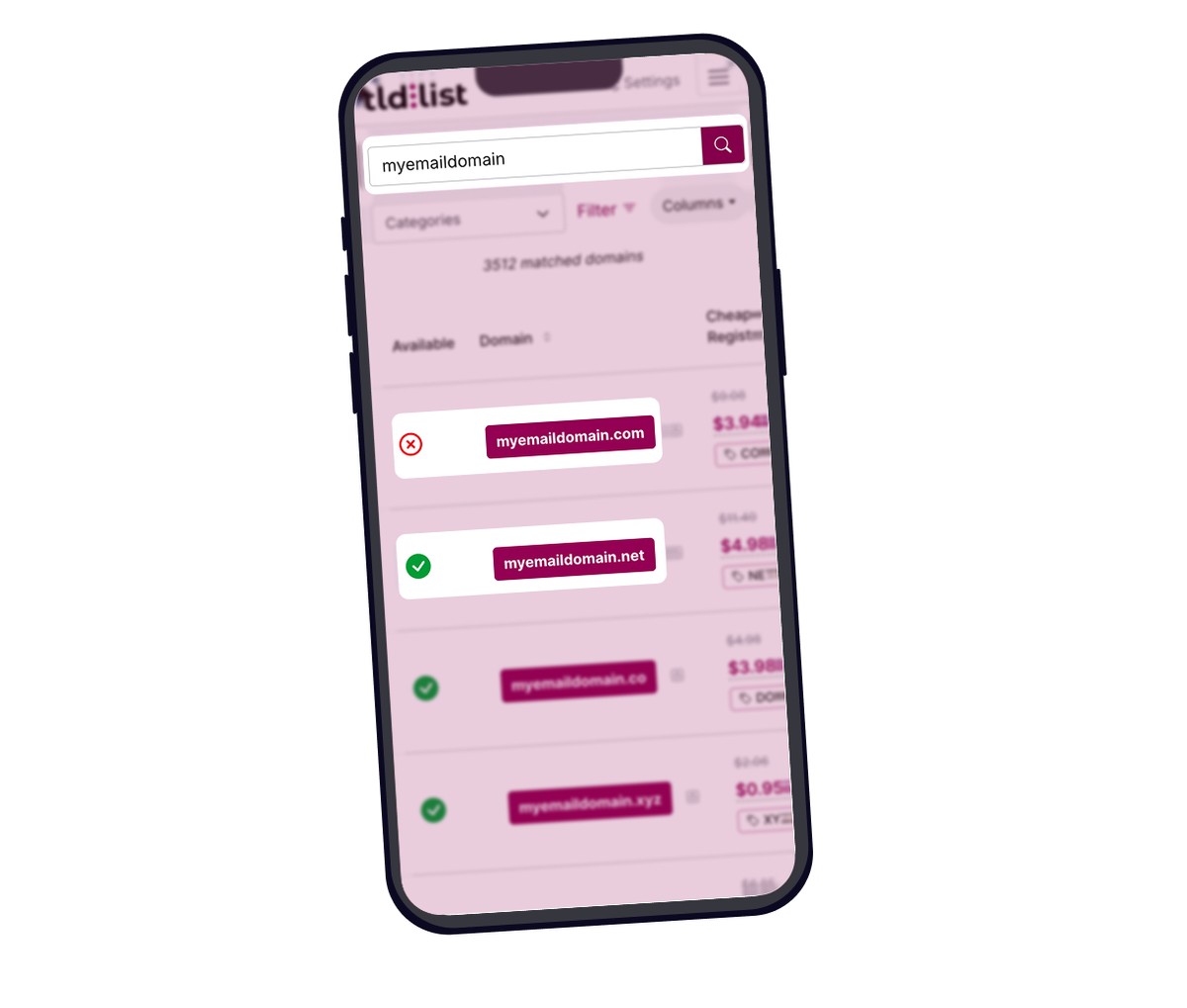
Before you choose a domain for your business, compare registration prices across 50+ registrars on TLD-List.
Email hosting options and providers for a custom domain
Most providers charge per user per month for hosting, with annual billing that reduces the cost. Pricing below reflects published starting rates.
| Provider | Starting price (custom domain) | Free trial | Key feature |
|---|---|---|---|
| Google Workspace | From $7.00/user/month | 14 days | Gmail interface, Drive, built-in calendar |
| Microsoft 365 Business | From $7.00/user/month | One month | Outlook, Teams, OneDrive |
| Zoho Mail | From $1.00/user/month | 15 days | Simple interface, ad-free, cheapest entry point |
| Namecheap Private Email | From $0.99/user/month | 30 days | Low cost, included with some domain plans |
A few things to confirm before you choose an email plan:
- Does it include authentication setup (SPF, DKIM, DMARC)?
- How much storage does each email account get?
- Is there a cap on multiple email accounts, or can you create branded email addresses for every teammate?
- What's the renewal price after year one?
Providers built for small business budgets tend to bundle admin controls and advanced security; two-factor login, for instance; even on entry plans, which matters once you're managing more than a handful of addresses.
A handful of registrars throw in free email forwarding with a domain purchase; mail sent to [email protected] gets redirected to an address you already have. That's not a real hosted mailbox: there's no dedicated storage, and you're still relying on the destination account staying active. For a genuine mailbox with its own storage, sending, and mobile access, you need one of the hosting plans above.
Budget plans start around $1 a month and cover very basic storage; fine for a solopreneur running a single professional email address. Fuller-featured plans with extras like browser apps and more storage run $10-12 a month, while a solid middle ground with real support lands around $2-3 a month; Namecheap's own plan, for example, lists at roughly $11.88-$14.88 a year. The catch: budget tiers tend to cut support first and save it for the pricier plans, so it's worth asking whether you actually need those extras or you're just overpaying for features you won't use and could do without to stay organized on a simpler plan.
How to manage email in gmail with a custom domain
If you want the Gmail interface paired with your own address, two paths get you there. Plenty of small teams use a custom domain from day one, even before their website goes live.
This is the official Gmail setup for custom domains, and it's the most direct way to create a business email address under your own name. Your address becomes [email protected], and everything runs through Gmail; the interface, mobile apps, and integrations you already use, backed by a 99.9% uptime guarantee. Cost starts at $7.00/user/month, with a free trial available before you commit.
Setup at a high level:
- Sign up and enter your domain.
- Verify ownership by adding a TXT record in your DNS settings.
- Add MX records from Google to route incoming email to Gmail.
- Your Gmail account can now handle mail automatically from your new address.
Authentication (SPF, DKIM, DMARC) is handled automatically, and once DNS propagates you can send and receive email with your custom domain right away, alongside the full suite (Drive, Calendar, Meet) and your professional inbox.
If you already have hosting through another provider (Namecheap, etc.), you can connect that account to Gmail using the "Check mail from other accounts" and "Send mail as" features. This adds a custom domain without switching your existing setup; Gmail simply fetches and sends on your provider's behalf. The actual mail server stays with your host, not Gmail.
Setup overview:
- Set up email hosting with your provider and create your custom email address.
- In Gmail Settings, go to Accounts > Check mail from other accounts and add your address using your provider's POP3 server details.
- In Gmail Settings, go to Accounts > Send mail as and add your custom address using your provider's SMTP credentials.
- Verify via a confirmation email.
This approach requires your host to support POP3/IMAP and SMTP access, and deliverability still depends on your provider's authentication settings.
Which to choose: if you want one integrated tool and can budget $7.00/month, the paid option is simpler and more reliable for most business needs. If you already pay for hosting elsewhere and just want everything in one place, Option B lets you send emails from Gmail without switching providers.
How to connect your domain to email and create a business email
Once you have a domain name and a hosting account, connecting them takes four steps; follow this sequence to create a custom setup that works with any provider.
- Register your domain through a registrar. Compare registration and renewal prices at TLD-List before committing to one.
- Sign up for an email plan and note the MX record details your provider gives you; these vary, so choose an email host that documents its setup clearly.
- Add MX records in your domain's DNS settings. Log into your registrar's DNS panel and add each MX record your host provides; this is what tells the internet where to deliver mail for it.
- Verify and test. Send a test message to your new address and confirm delivery. DNS changes typically take a few hours to propagate fully, so build in some buffer before you rely on the new email setup for anything urgent.
Keep the technical configuration minimal until you've confirmed mail is flowing correctly, then layer in authentication records (SPF, DKIM, DMARC) to improve deliverability and protect your professional email address from spoofed messages using fake email subject lines.
Frequently Asked Questions
Here are frequently asked questions people ask when they set up a custom domain.
This means an email address like [email protected]; one that uses a domain name you own; instead of a free provider address like @gmail.com or @yahoo.com.
You don't legally need one, but it changes how professional your business looks and how trustworthy your messages seem. Mail from free providers is also more likely to land in spam and harder to authenticate properly, which can quietly undercut how much people trust what you send.
Yes. The paid plan ($7.00/user/month) gives you a Gmail mailbox at your own address as the official method. You can also connect a custom mailbox to a free Gmail account using POP3/SMTP forwarding through your provider, though it takes a bit more setup.
Not really, no. Free tiers from Gmail, Zoho Mail, and similar providers only ever cover their own generic address (@gmail.com, @zohomail.com); the moment you point [email protected] at them, you're on a paid plan. The closest thing to "free" is the email forwarding some registrars bundle with a domain purchase, which redirects mail to an address you already have rather than giving you a real hosted mailbox. Budget custom-domain hosting starts around $1 a user a month, so the realistic floor is the domain's registration fee plus a low-cost hosting plan; not zero.
Domain registration is the process of reserving a domain name (yourcompany.com) through a registrar. Email hosting is a separate service that stores and delivers mail for custom domain email addresses there. These are two different services with two different costs, so budget for both separately.
Most setups take 15–30 minutes once your domain is registered and you've signed up for an email plan. DNS changes can take up to 24 hours to fully propagate, but most people see mail working within a few hours; plenty of time to create several email addresses using the same setup before your team's first day.
Prices in this article were gathered manually in August 2026 and aren't updated in real time; treat them as indicative. For current domain registration, renewal, and transfer prices across the world's top 50 registrars, see TLD-List.
About the Author:

TLD-list
Editor team
Small crew of builders who believe a great idea should not be held back by a bad domain deal. We know this space inside out, from obscure new extensions to the registrar tricks that quietly inflate your renewal. We put that knowledge to work so you can spend less time worrying about domains and more time building the thing that matters.
Related Posts
How much does a domain name cost?
A standard domain name costs $10–$20/year, but the real number depends on your extension, registrar, and renewal price. This guide breaks down every factor, including premium domains, free options, and how to compare total costs accurately.
Read Full ArticleThe different types of domain names
A complete guide to the different types of domain: how domain names are structured (TLD, SLD, subdomain), every extension from .com and country-code TLDs to new gTLDs, and how to choose the right domain for your brand, budget and search visibility.
Read Full ArticleParts of a Domain Name
Learn the different parts of a domain name, including subdomains, second-level domains (SLDs), and top-level domains (TLDs). Understand how each component works, how they fit into a URL, and how to choose the right domain structure for branding, DNS, and SEO.
Read Full ArticleWhat is a fully qualified domain name?
Learn how FQDNs work, their structure, common uses, and how to find yours.
Read Full Article