- Domain Names
- All about DNS
What is the domain name system and how does DNS work?
The domain name system (DNS) is the internet's distributed naming system, responsible for translating domain names into IP (Internet Protocol) addresses computers use to connect.

TLD-list
Editor team
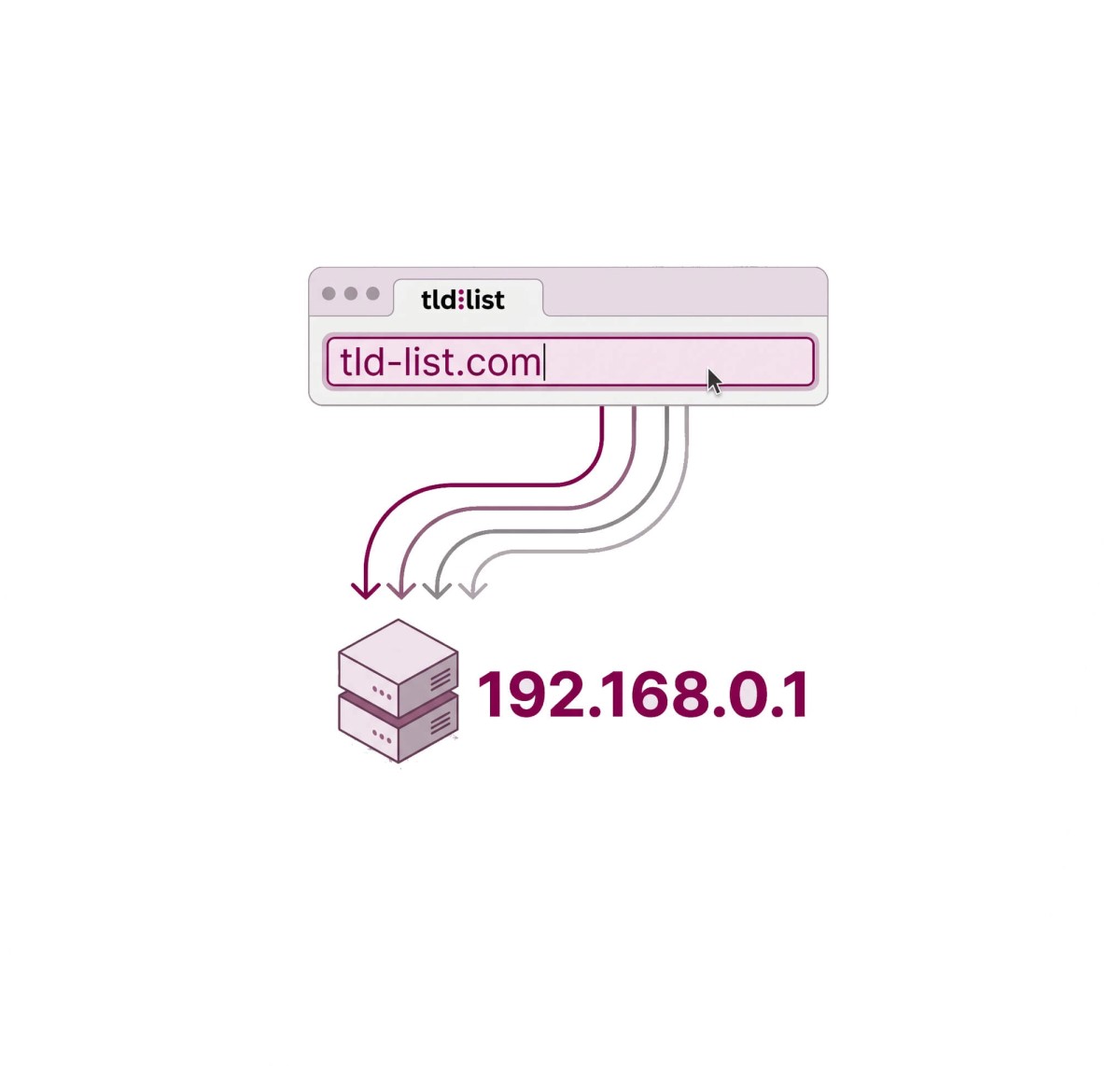
Rather than a single database, DNS is a hierarchical naming system involving multiple server types working together. This article covers how the DNS resolution process works, the four server types involved, common DNS record types, and what domain owners need to understand about DNS.
How DNS lookup and resolution work
When you enter a domain name into a browser, a multi-step lookup process called DNS resolution runs in the background. It happens in milliseconds, but involves several distinct servers:
- Browser checks local cache. Your operating system and browser store recent DNS lookups and DNS information locally. If the domain was visited recently, the IP address may already be cached; no external query needed.
- Query goes to a recursive resolver. If there's no cached result, the query is sent to a recursive DNS resolver; typically operated by your ISP, or a public DNS resolver like Google (8.8.8.8) or Cloudflare (1.1.1.1). The recursive resolver does the legwork of querying other servers on your behalf.
- Resolver queries a root nameserver. The recursive resolver asks a root nameserver where to find the TLD (top-level domain) nameserver for the domain's extension (e.g., .com). There are 13 root server clusters worldwide, coordinated by ICANN.
- Root nameserver points to a TLD nameserver. The root nameserver returns the IP address of the TLD nameserver responsible for that extension.
- TLD nameserver returns the authoritative nameserver. The TLD nameserver (for example, Verisign's servers handle all .com lookups) returns the IP address of the authoritative nameserver for the specific domain name.
- Authoritative DNS server provides the IP address. The authoritative DNS server holds the actual DNS records for the domain and returns the corresponding IP address. The recursive resolver caches this result and returns it to your browser, which then loads the site. You can perform a domain IP lookup to find the IP address associated with any domain name.
This entire process typically completes in under 100 milliseconds.
The four types of DNS servers
DNS involves four distinct server types. Each type of DNS server plays a specific role in the resolution chain:
| Server type |
Role |
Who operates it |
|---|---|---|
| Recursive resolver |
Does the asking — queries other servers on behalf of the client |
ISPs, Google (8.8.8.8), Cloudflare (1.1.1.1) |
| Root nameserver |
Knows where to find TLD nameservers; 13 root server clusters worldwide |
ICANN-coordinated operators |
| TLD nameserver |
Handles the TLD zone (e.g., all .com lookups) |
Registry operators (Verisign for .com) |
| Authoritative nameserver |
Has the final records for a specific domain |
Registrar, hosting provider, or third-party DNS service |
These four server types form a chain. The recursive resolver is the only one your device communicates with directly. The other three are queried by the resolver in sequence until the authoritative server provides the final answer — the IP address for the domain.
Common DNS record types
Records are the individual entries that tell the system how to handle traffic for a domain. A domain owner with access to their DNS settings can view and edit these records. The most common types are:
| Record type |
What it stores |
When a registrant uses it |
|---|---|---|
| A |
Maps domain to IPv4 address |
Pointing a domain to a web server |
| AAAA |
Maps domain to IPv6 address |
IPv6-enabled server setup |
| CNAME |
Alias pointing to another domain name |
Pointing www to root domain, or subdomain to external service |
| MX |
Mail server responsible for receiving email |
Setting up custom email with Google Workspace, Microsoft 365, etc. |
| TXT |
Free-form text string |
SPF/DKIM/DMARC email authentication, domain ownership verification |
| NS |
Nameservers authoritative for the domain |
Delegating DNS to a different provider |
The A record is the most fundamental — it maps domain names into IP addresses. When someone enters your domain, the A record tells resolvers which IP address to return. NS records determine which name servers are authoritative for the domain, which in turn controls where all other records are managed.
What DNS means for domain registrants
Most DNS documentation is written for network engineers. For someone who has just registered a domain, here is what actually matters:
- Your registrar sets default NS records. When you register a domain, your registrar automatically sets NS (nameserver) records pointing to their own nameservers. Your registrar stores DNS zone data on their name servers by default — and your DNS records (A, MX, TXT, etc.) are managed through their interface.
- You can change nameservers. Pointing a domain to a different web hosting provider, CDN, or DNS service requires updating the NS records at your registrar to point to the new provider's nameservers. Once updated, all record management moves to the new provider.
- DNS propagation takes time. After changing nameservers or updating a DNS record, the new information takes time to spread across DNS servers worldwide. This is called propagation. The updated IP address or other DNS data may not be visible everywhere right away — most changes resolve within a few hours, but it can take up to 48 hours.
- Domain registration and DNS hosting are separate. You can register a domain with one provider and manage DNS with a completely different one.
- To understand what a domain name is and how the different parts relate, see the foundational guide. To compare registration costs across extensions and registrars, compare domain extension prices.
DNS security basics
Three DNS security mechanisms are worth understanding for domain owners:
DNSSEC (Domain Name System Security Extensions) adds cryptographic signatures to DNS records, allowing resolvers to verify that responses haven't been tampered with. It protects against DNS cache poisoning — an attack where a resolver is fed false IP addresses, redirecting users to malicious sites. DNSSEC is optional, but enabling it is a good practice if your registrar supports it. Not all registrars offer DNSSEC management.
DNS cache poisoning is an attack that exploits the caching behavior of recursive resolvers. An attacker injects false DNS data into a resolver's cache, causing users to be directed to fraudulent sites even when they type the correct domain name. DNSSEC is the main defense against this attack.
DNS over HTTPS (DoH) encrypts DNS queries so they can't be intercepted or read in transit. Traditional DNS queries are sent in plain text, which means your ISP or anyone on the same network can see which domains you're querying. DoH wraps those queries in HTTPS encryption. For most domain owners, DoH is handled at the browser or operating system level — it's not something you configure on your domain's DNS settings directly.
Frequently asked questions
A domain name is a human-readable name like tld-list.com. DNS is the system that translates that name into the IP address a server can use. The domain name is what you register; DNS is the infrastructure that makes it work.
An authoritative nameserver is the final source of truth for a domain's records. When you register a domain, your registrar points to authoritative nameservers; either their own or one you specify. Any DNS resolver looking up your domain will ultimately get the answer from your authoritative nameserver.
Yes. Domain registration and DNS hosting are separate services. You can register a domain with one provider and use any DNS hosting service you choose by updating the NS records at your registrar to point to the new provider's nameservers.
A DNS record is an entry in a DNS zone file that provides instructions about how to handle traffic for a domain. Different record types handle different functions: A records point to IPv4 addresses, MX records route email, TXT records store verification strings, and NS records delegate the domain to specific nameservers.
A DNS record is an entry in a DNS zone file that provides instructions about how to handle traffic for a domain. Different record types handle different functions: A records point to IPv4 addresses, MX records route email, TXT records store verification strings, and NS records delegate the domain to specific nameservers.
A recursive DNS resolver is the server that does the legwork of the DNS lookup on your behalf. When you enter a domain name, your device sends the query to a recursive DNS resolver, usually operated by your ISP or a public DNS service such as Google Public DNS (8.8.8.8) or Cloudflare (1.1.1.1). If the answer isn’t already cached, the resolver queries root nameservers, TLD nameservers, and authoritative nameservers as needed, then returns the IP address to your browser. It also caches responses to speed up future lookups.
A DNS cache is a temporary store of recent DNS lookups held by your browser, operating system, or a recursive DNS server. When a DNS record is retrieved, it is cached for a period defined by its TTL (time to live). If the same domain is queried again before the TTL expires, the cached IP address is returned immediately without repeating the full resolution process.
There are three types of DNS queries: recursive, iterative, and non-recursive. A recursive query asks a DNS resolver to return a final answer, performing any additional lookups needed. An iterative query asks a DNS server for the best answer it can provide, which may be the requested record or a referral to another DNS server. A non-recursive query occurs when the server can answer immediately because it is authoritative for the domain or already has the record cached. In practice, your device sends a recursive query to a recursive resolver, and the resolver typically uses iterative queries to obtain the answer if it is not already cached.
Public DNS refers to DNS resolvers operated by third parties and open to anyone on the internet. The most widely used are Google Public DNS (8.8.8.8) and Cloudflare (1.1.1.1). Using a public DNS resolver instead of your ISP's default can offer faster response times, improved privacy, or additional security filtering. You can switch to a public DNS service by changing the DNS server address in your network settings.
Once you understand how DNS maps your domain to an IP address and connects it to the web, the next step is finding the right extension and comparing registration costs. Compare registration, renewal, and transfer prices for any TLD; TLD-list tracks data from 50+ registrars.
About the Author:

TLD-list
Editor team
Small crew of builders who believe a great idea should not be held back by a bad domain deal. We know this space inside out, from obscure new extensions to the registrar tricks that quietly inflate your renewal. We put that knowledge to work so you can spend less time worrying about domains and more time building the thing that matters.
Related Posts
What is a domain name? A beginner’s guide to domain management
This guide explains what domain names are, how they’re structured, the main types of extensions, and what registration, renewal, and transfer costs mean, including how each affects choosing and managing a domain.
Read Full ArticleAll about the .me domain Name
Meet .me, Montenegro's country code domain that the whole world uses for personal brands. Because "me" is a real word, names like about.me and hire.me read like sentences. Learn where it came from, why Google ranks it globally like a .com, and how it compares to .com, .co, and .io.
Read Full ArticleAll about the .gg domain Name
The .gg domain means two things at once: Guernsey's country code, and "good game" to every player alive. That double meaning made a tiny island's extension a global favorite for gaming brands like discord.gg. Learn who can register one, why it costs more, and how Google treats it for SEO.
Read Full ArticleAll about the .io domain Name
The .io domain name has one of the most fascinating stories of any domain extension. What began as the country-code domain for a remote archipelago in the Indian Ocean became the online home of some of the world’s best-known startups, developer tools, and SaaS companies.
Read Full Article